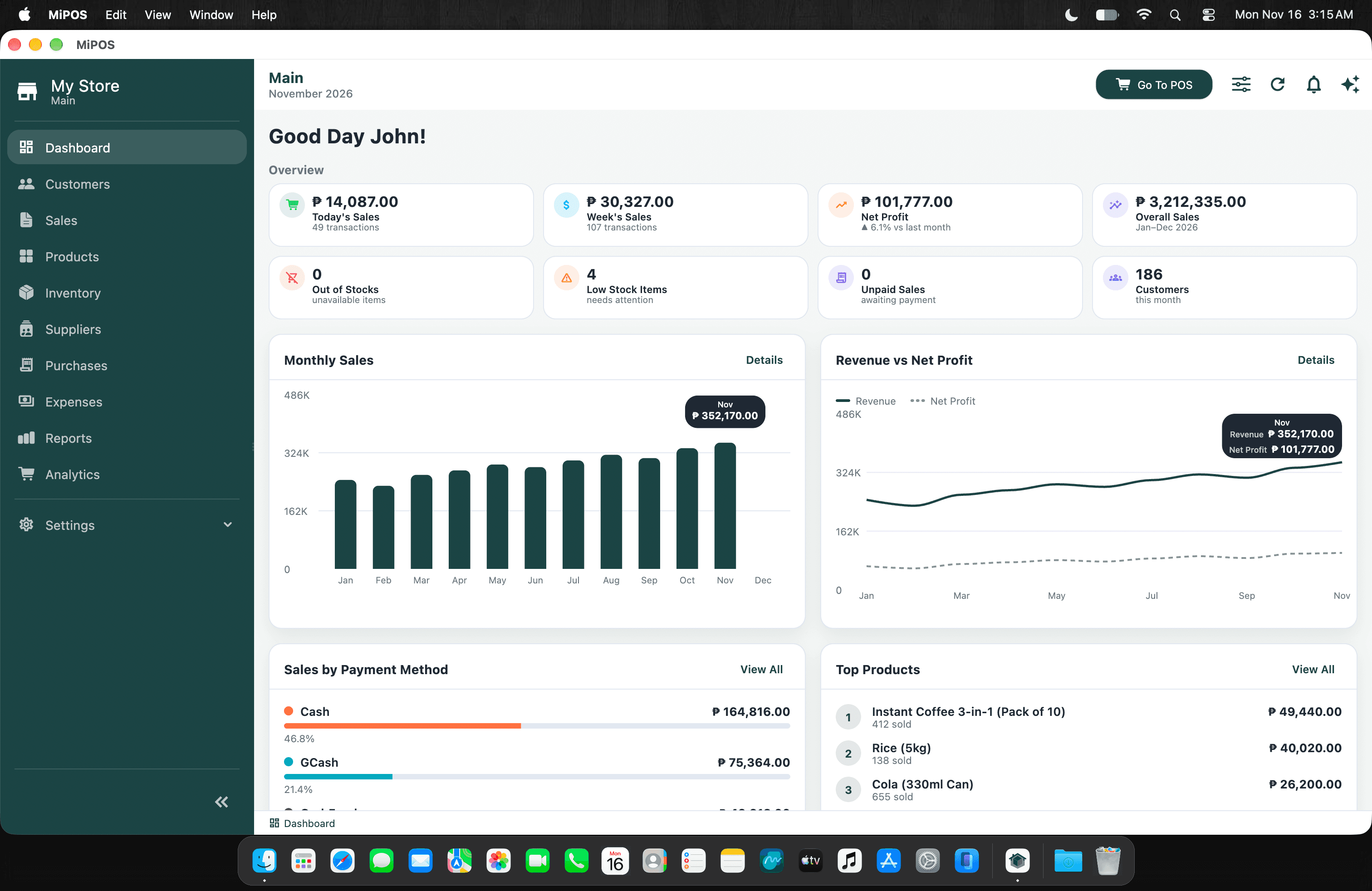
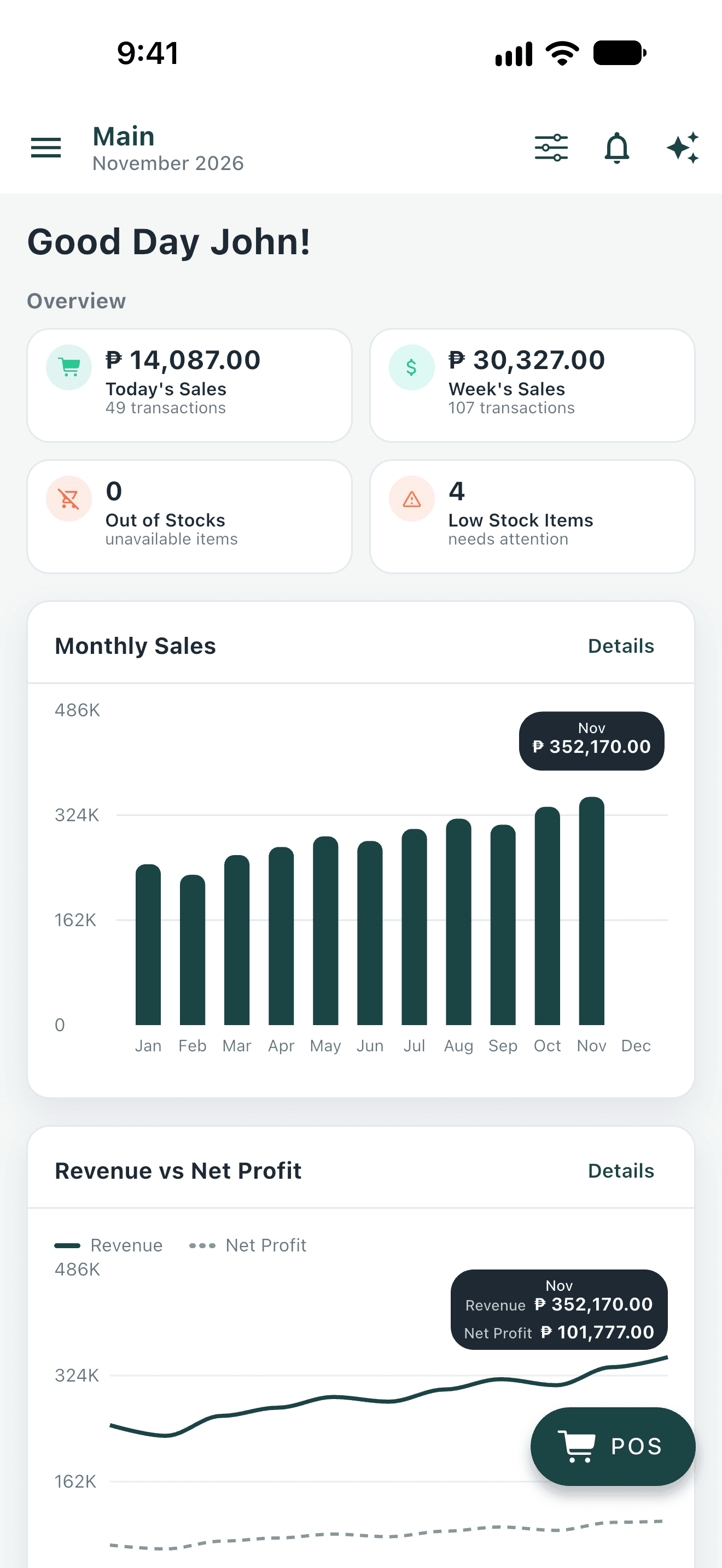
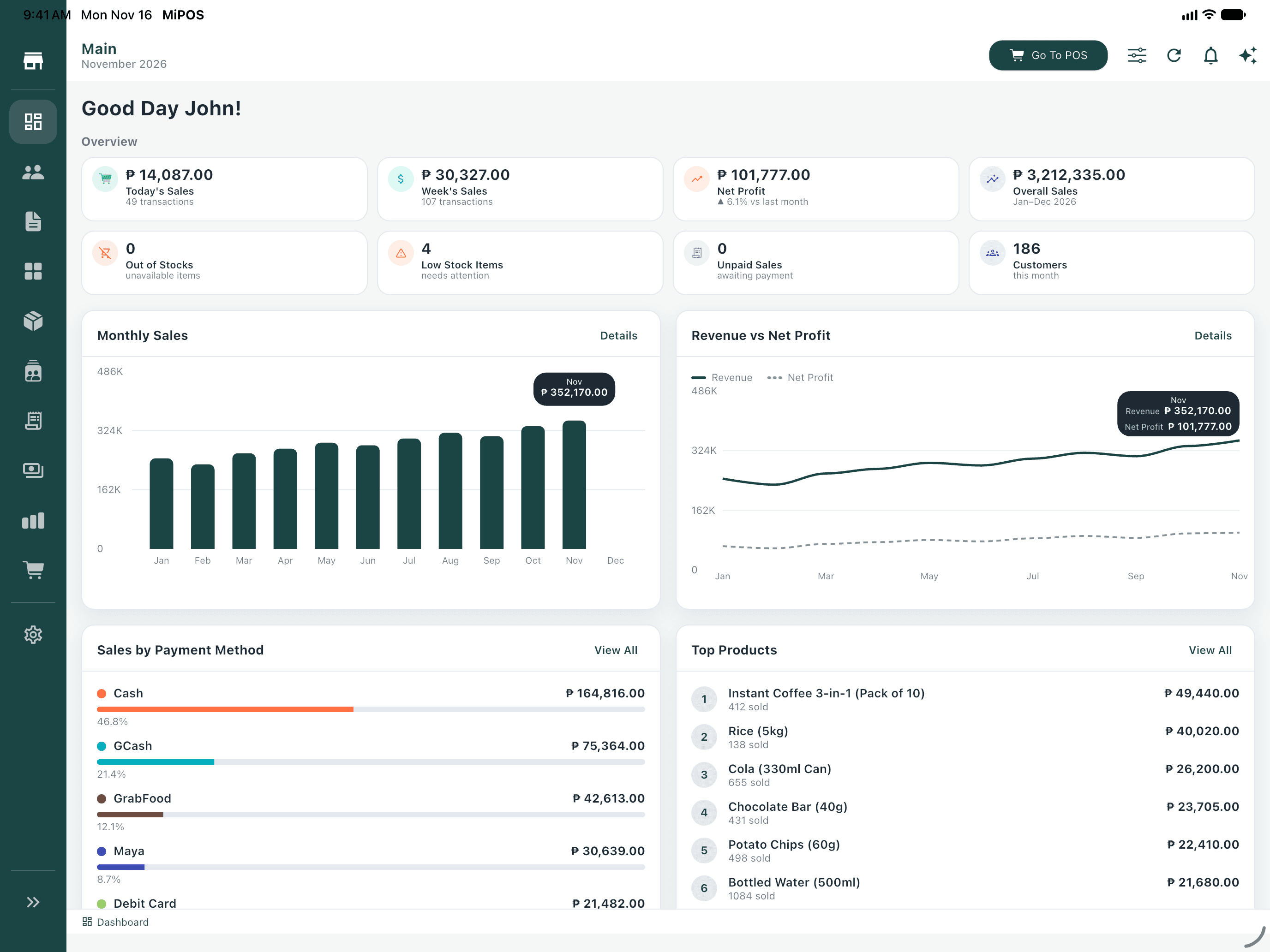
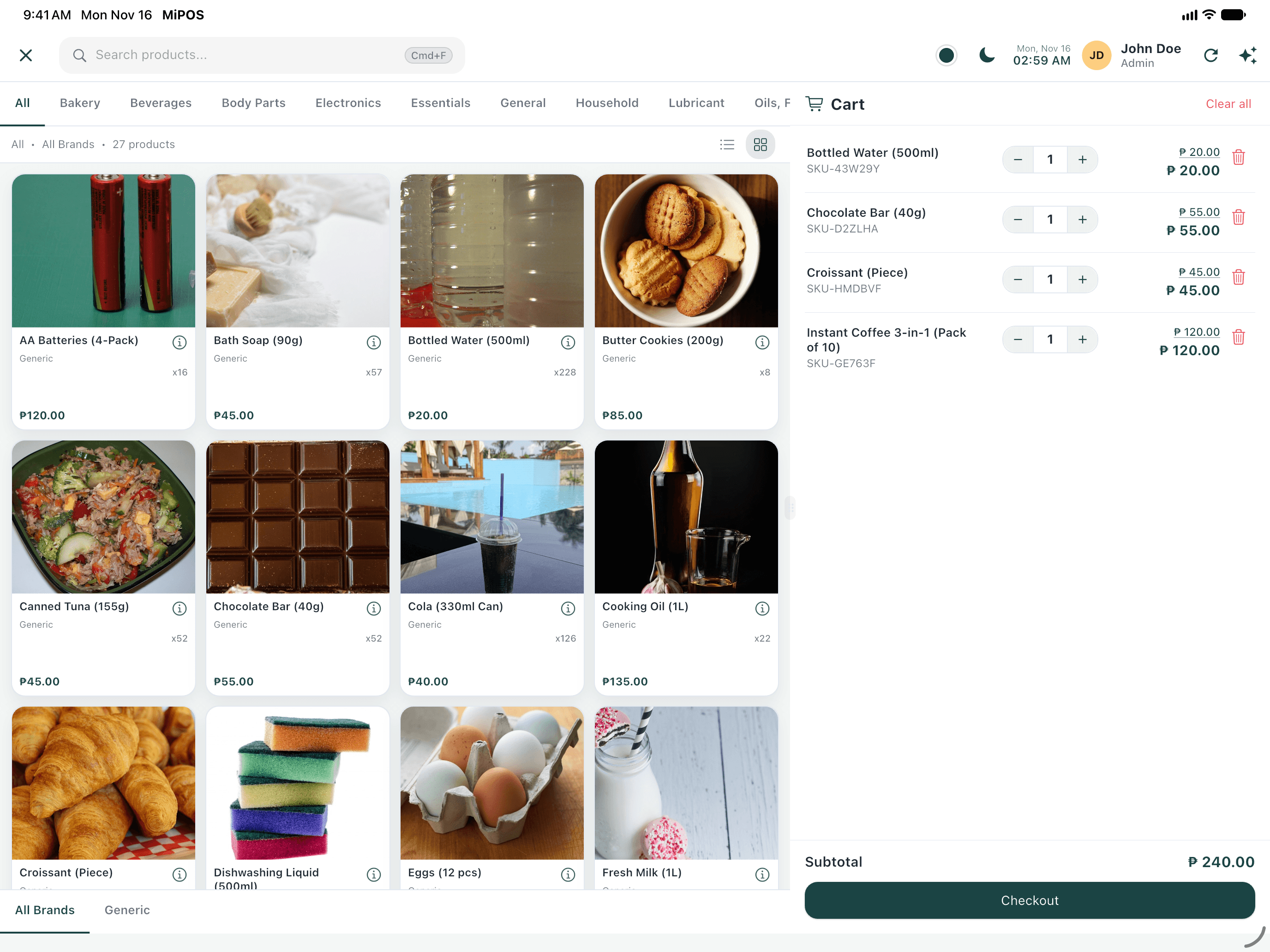
Every deviceMac, Windows, iPad, iPhone, Android and web
Offline-readyKeeps selling when the internet drops
Multi-branchEvery store and storage in one account
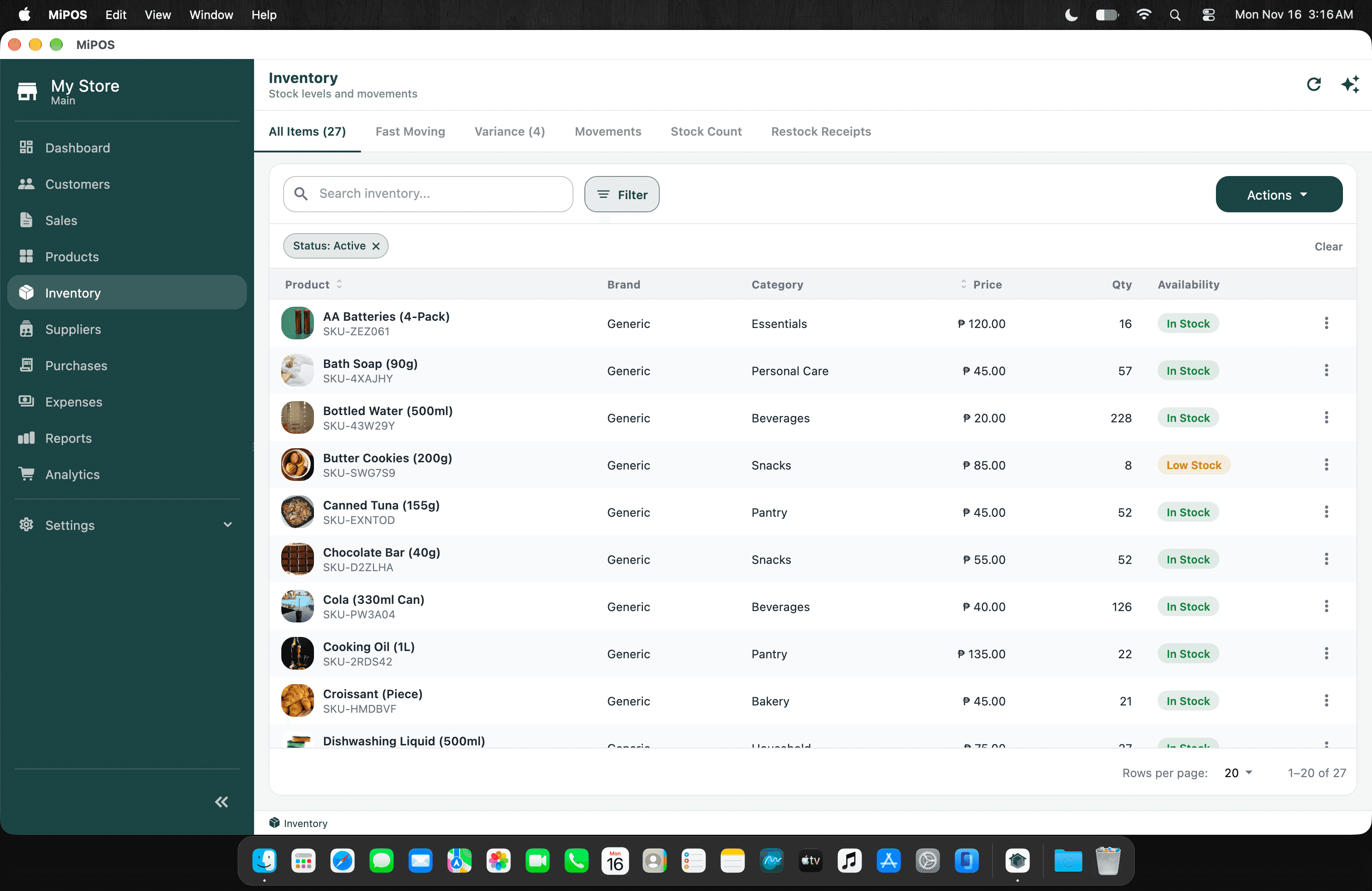
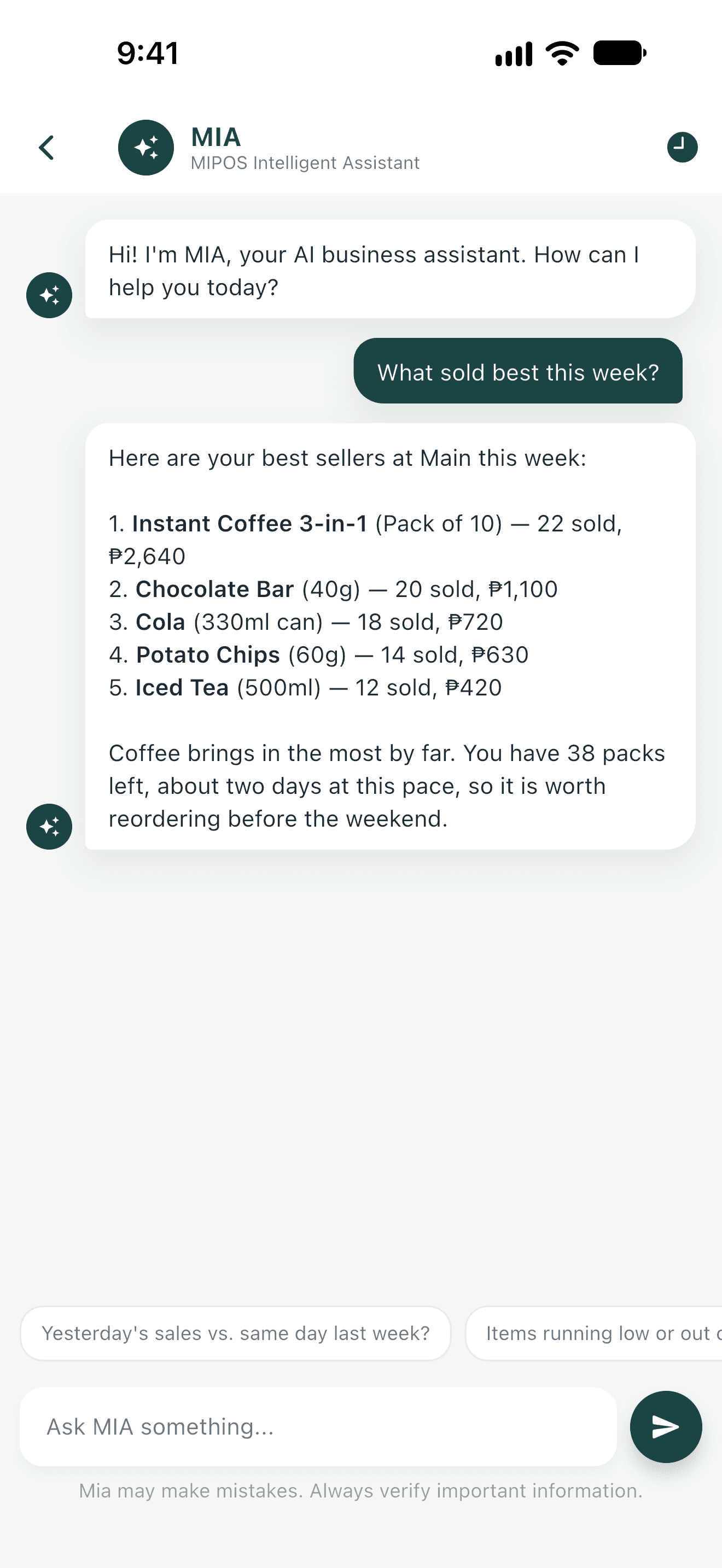
Mia AIAnswers questions and flags what needs you
One app, every device
The same store on every screen
Sell at the counter on iPad, run the back office on Mac or Windows, and check in from your phone. Everything stays in sync.
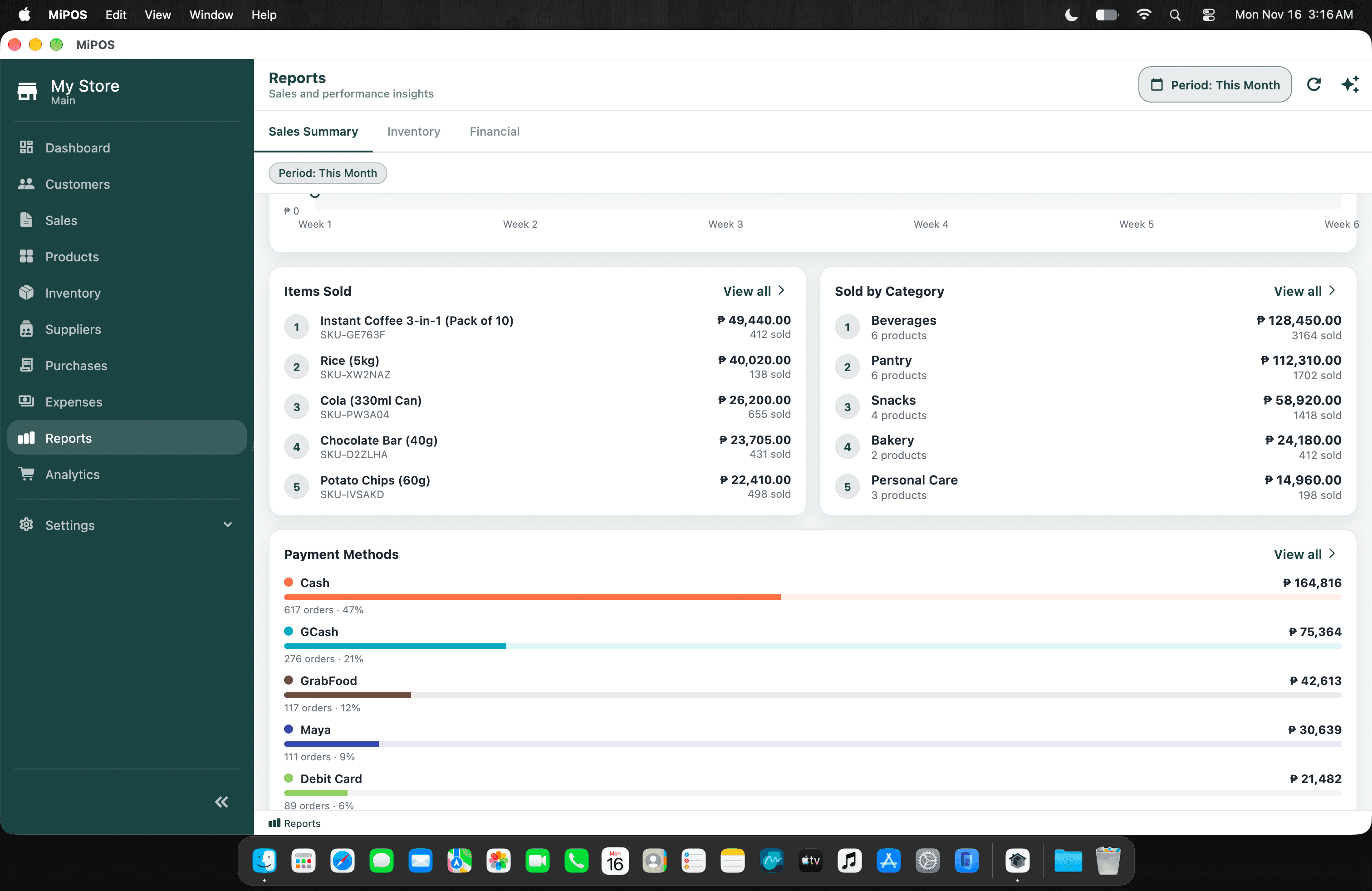
Mac & WindowsThe back office: stock, purchasing, reports and settings.
iPadA counter in landscape, a compact view in portrait.
iPhone & AndroidSales and alerts in your pocket.
Sell
A counter that keeps up
Ring up sales on iPad, Mac, Windows or phone. Scan, take payment, print the receipt, and move to the next customer.
Barcode scanning and printed receipts
Split a bill across cash, cards and e-wallets
Add your own methods, like FoodPanda or Grab
Stock
Know what's on the shelf
Every product, variant and storage in one list, updated as you sell and receive.
Stock by branch, storage and variant
Purchase orders and goods receipts from suppliers
Transfers and stock counts that stay consistent
Know
Numbers you can act on
The Sales Summary shows the day, the month and every payment method, so you can see what's working.
Sales by day, product, category and branch
Custom payment methods show in the dashboard and reports
Expenses next to sales, so margins are real
Why MiPOS
Everything your operations need
From the counter to the cloud—POS, inventory, teams, memberships, analytics, and AI in one elegant platform.
Sell
Check out fast, take any payment, sell online.
Point of SaleLightning-fast checkout with payments, receipts, and multi-tender support.
Payment MethodsCash, cards, e-wallets, and your own methods like FoodPanda or Grab, each tracked in reports.
Kitchen DisplayRoute orders to production screens and keep the floor moving.
Store WebsiteYour own website at yourstore.miposapp.com, showing your MiPOS catalog.
Stock
Know what you have and what to order.
Inventory ManagementTrack stock across storages, variants, and branches in real time.
PurchasingPurchase orders, goods receipts, and supplier workflows in one place.
Barcode SupportScan, print, and manage barcodes for products and stock counts.
Serialized InventoryTrack phones, laptops and appliances one unit at a time by serial number, from delivery to sale.
Expense TrackingCapture operating costs and keep financials aligned with sales.
Customers
Keep customers and members coming back.
Customer ManagementProfiles, history, and loyalty insights for every shopper.
MembershipPlans, renewals, and member lifecycle tools for subscription businesses.
AttendanceCheck-ins and visit tracking for gyms, clubs, and membership venues.
WarrantiesWarranty policies, coverage registered with each sale by serial number, and claims tracked to resolution.
Insights
See how the business is doing, and hear when something needs you.
ReportsSales, inventory, and financial reports ready when you need them.
AnalyticsTrends, baskets, and performance views that drive better decisions.
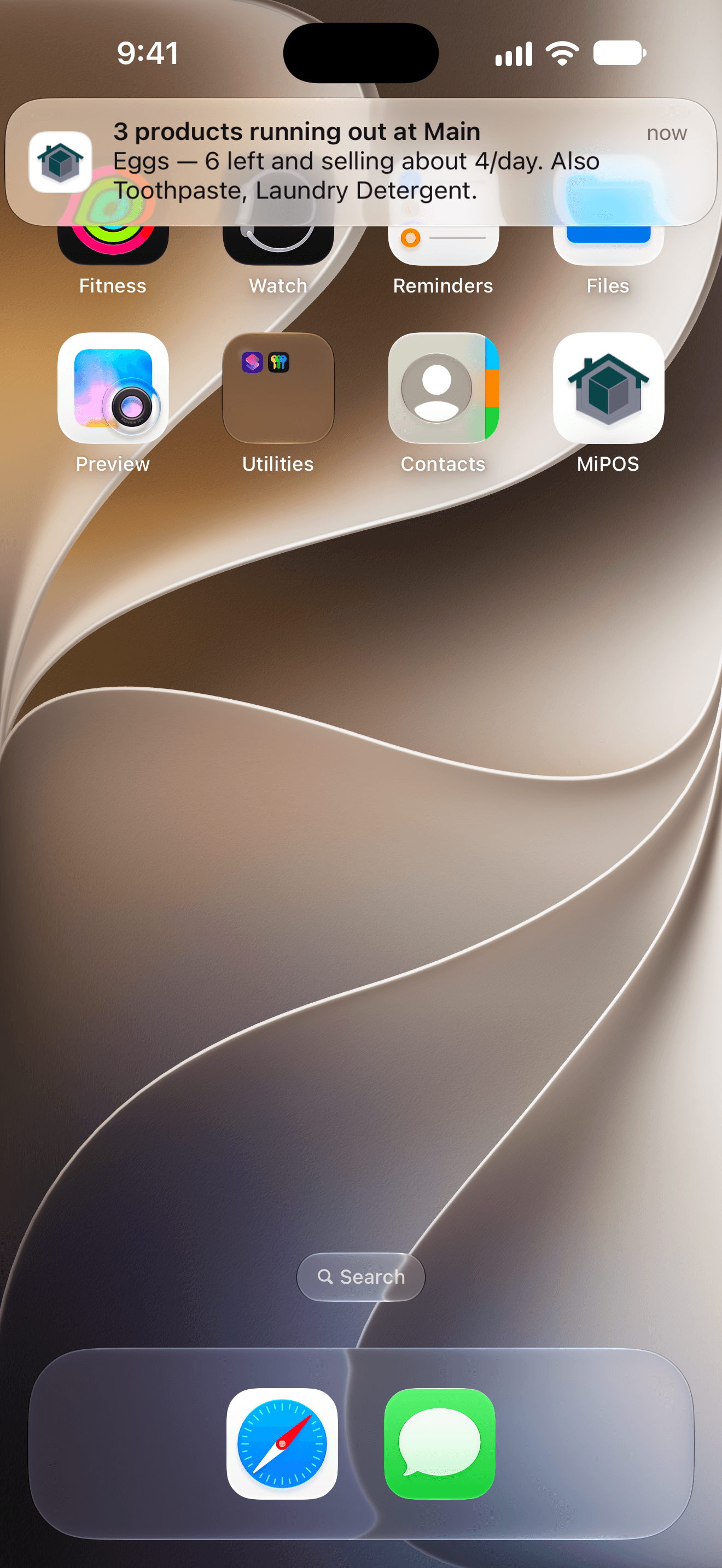
Mia AlertsCritical stock, sales signals, and a morning brief, sent to your phone.
Team & branches
One workspace for every person and location.
Employee ManagementRoles, access, and team operations without spreadsheet chaos.
Multi BranchRun every location from one secure cloud workspace.
Cloud SyncEncrypted, tenant-isolated data available wherever you work.
Offline ReadyKeep selling when connectivity drops, then sync automatically.
Every device
Use whatever is on the counter or in your pocket.
DesktopNative Windows and macOS apps for counter and back-office speed.
Mobile & iPadiPhone, iPad and Android apps, with an iPad counter layout in landscape.
WebA polished portal for admin, reporting, and day-to-day operations.
Meet Mia
Meet Mia — Your AI Business Assistant
Ask about sales, stock, suppliers and reports in plain words. And when something needs you, Mia tells you first.
Ask anything
How many products are low in stock?Show today's sales.Generate monthly report.Restock inventory.
Hear it first
Mia watches every store and sends what's urgent straight to your phone. The rest comes in a morning brief.
Critical stockEggs (Dozen): 2 days left
Morning briefYesterday: ₱19,870, up 11%
RecommendationRestock 6 fast movers
Built for your business
From parts counters to gym floors
MiPOS runs motor parts shops, cafés, gyms, gadget stores and hardware stores. Turn on the modules your business needs and leave the rest off.
Motor & auto parts
Thousands of parts and suppliers, found in seconds by name, SKU or barcode.
Cafés & restaurants
Fast orders, kitchen display routing, and delivery platforms as payment methods.
Gyms & clubs
Memberships, renewals and check-ins next to your shop sales.
Retail & grocery
Fast barcode checkout and low-stock alerts for hundreds of everyday items.
Hardware & construction
Sizes and variants, store and warehouse stock, and transfers between branches.
Gadgets & computers
Every unit tracked by serial number, with warranties registered at the sale and claims followed through.
Store websites
Your store, online
Let customers see what you sell before they visit. Your website shows the products in MiPOS, so it stays current as you update your catalog.
A store page on miposapp.com
Every store can have its own site at yourstore.miposapp.com, with your products, categories and contact details.
A site built for you
Want your own look and domain? We build custom websites for MiPOS businesses, with contact and quote forms that land in your inbox. Ask us.
MiPOSFileEditViewWindowMon 9:41 AM
yourstore.miposapp.com
Your StoreProductsAboutContact
Everyday essentials, fair pricesBrowse what's in stock, then visit or message us.
Coffee 3-in-1 (10s)₱125
Eggs (Dozen)₱110
Cooking Oil 1L₱95
Rice 5kg₱290
Bottled Water 500ml₱20
Sliced Bread₱75
Instant Noodles₱18
Canned Tuna₱45
Testimonials
From the people who use it
What store owners say about running their business on MiPOS.
“Dako kaayo siya’g tabang nako. Dali ra kaayo ma-monitor ang stock, and if makalimot ko sa price or item, dali ra nako pangitaon. Sayon ra pud kaayo siya sabton ug gamiton.”
In English“It helps me a lot. Stock is easy to keep track of, and if I forget a price or an item, I can find it right away. It’s also very easy to understand and use.”
About MiPOS
Made here, for businesses like yours
MiPOS is a business platform built in the Philippines for local businesses: motor parts shops, cafés, gyms, gadget stores and retail stores.
We built it for owners who run the counter and the back office at the same time. Prices are in pesos, the apps keep working when the internet doesn't, and you can reach a real person when you need help.
Made in the PhilippinesBuilt and supported locally.
English & FilipinoSupport in the language you use.
Your data, isolatedEncrypted and kept separate per business.
FAQ
Answers before you get started
A few questions business owners ask most often when evaluating MiPOS.
Is MiPOS only a POS?
No. MiPOS is a full business platform covering POS, inventory, customers, memberships, employees, analytics, AI, and multi-branch operations.
Can I try MiPOS before buying?
Yes. Email us to start a free trial, or book a demo and we'll walk you through MiPOS using a store like yours.
How much does MiPOS cost?
It depends on how many branches, devices and modules you need. Tell us about your business and we'll send you a quote.
Does MiPOS work offline?
Desktop and mobile workflows are designed to keep critical operations moving when connectivity drops, then sync when you are back online.
Is my business data secure?
Data is encrypted in transit and isolated per tenant. Access is role-based so teams only see what they need.
Which industries does MiPOS support?
Motor and auto parts, cafés and restaurants, gyms, retail, grocery, pharmacy, hardware, gadget and computer stores, and service businesses.
Can I get a website for my store?
Yes. Every store can have its own website at yourstore.miposapp.com, showing the products in MiPOS. We also build custom websites on your own domain.
Where can I download the apps?
Get the iPhone, iPad and Mac app from the App Store and the Android app from Google Play, or download the Windows installer from the Download page. On iPad, MiPOS switches to a counter layout in landscape.
Ready to Grow Your Business?
Start a free trial or book a demo. See how MiPOS becomes the operating system for your business.